An autonomous robot that crosses a standard field, finds the opposing robot’s 2 kHz IR beacon and fires ping-pong balls at it, all inside two minutes.
Built with Teodor Langan and Ceferino Sacramento. I led the software. Team repo on GitHub →
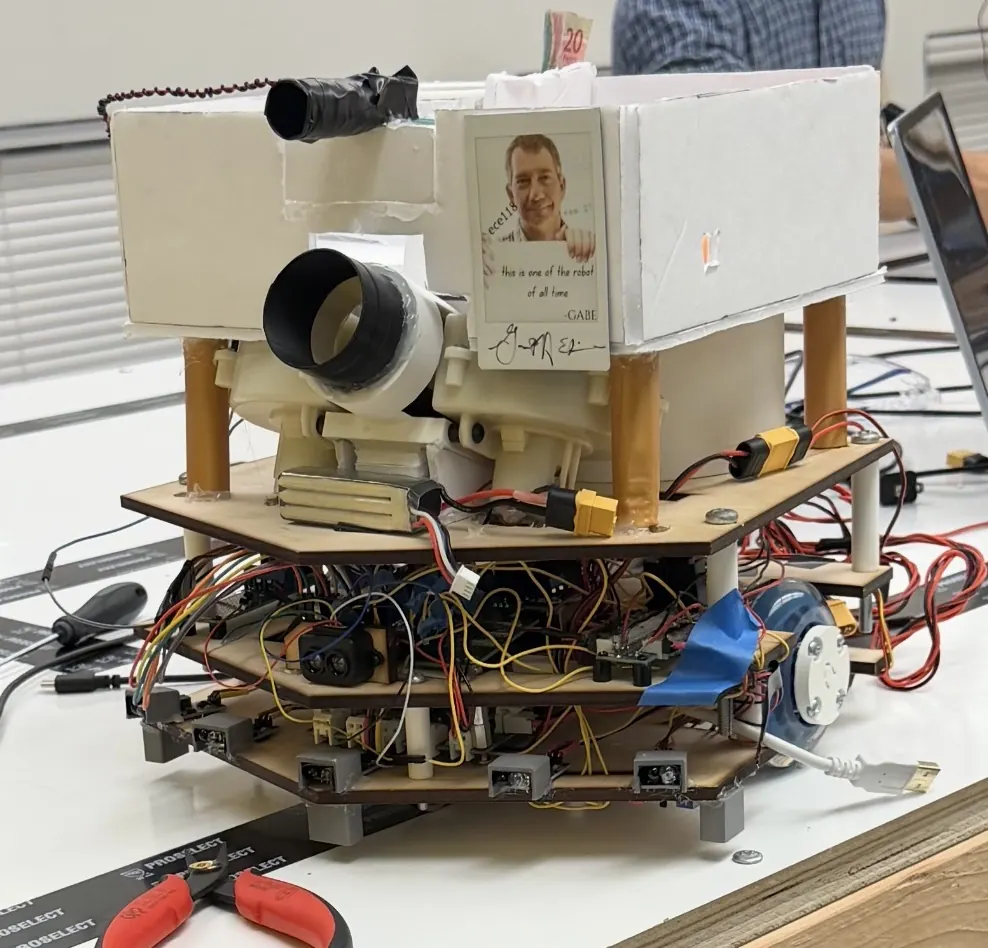
The robot
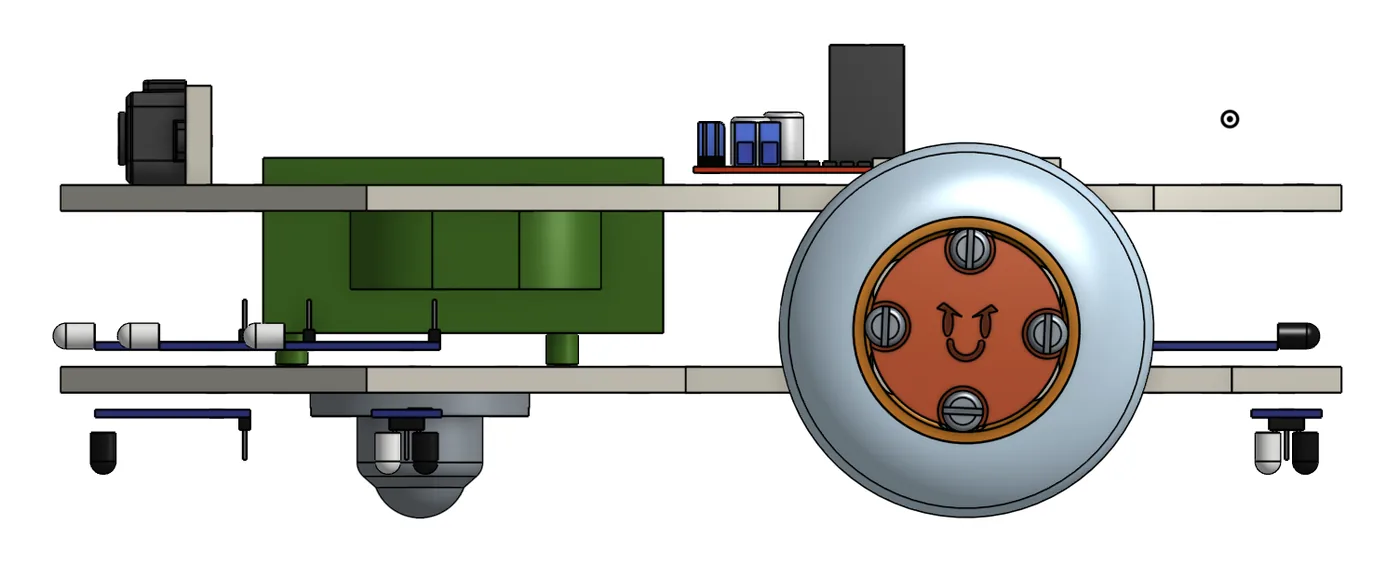
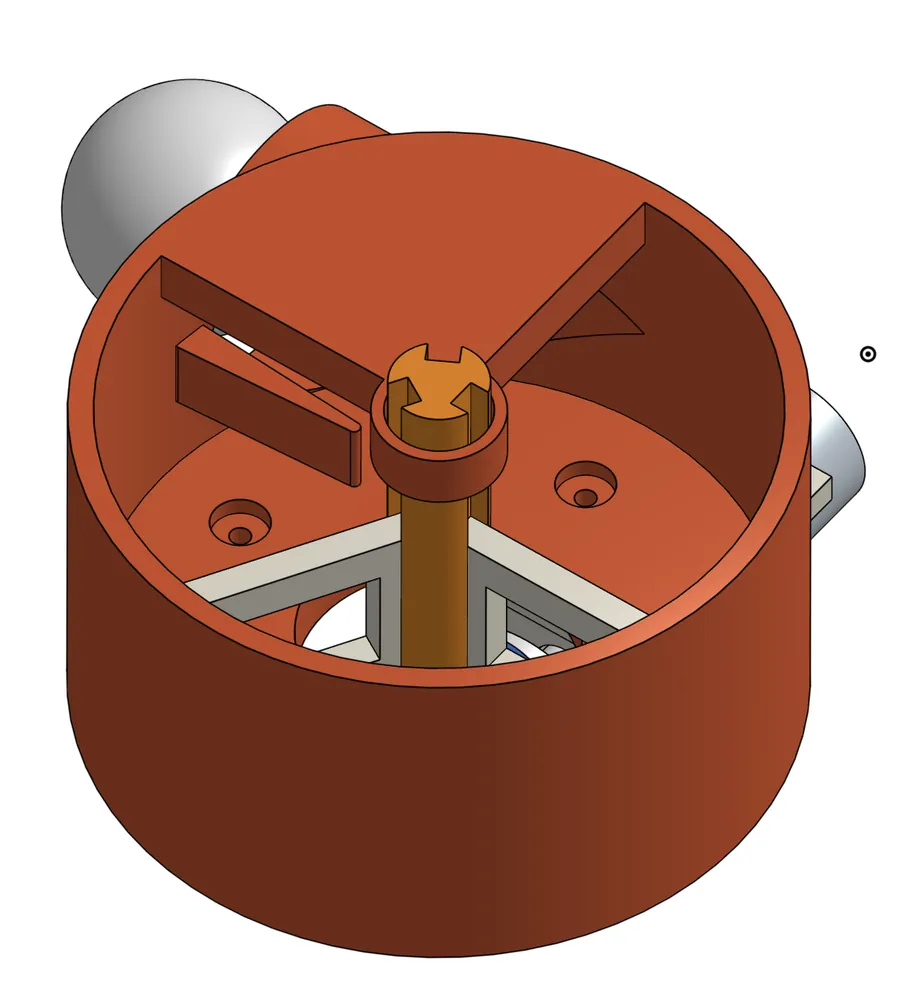
The chassis is a pentagon, about 9 inches across the front and narrowing toward the back, so the wide front can catch tape while the back stays small. It is four stacked layers: drivetrain, electronics, flywheel and hopper. That way we could take it apart one layer at a time instead of piece by piece. In hindsight, shoulders taking up nearly the full 11 inches did not help us get around obstacles.
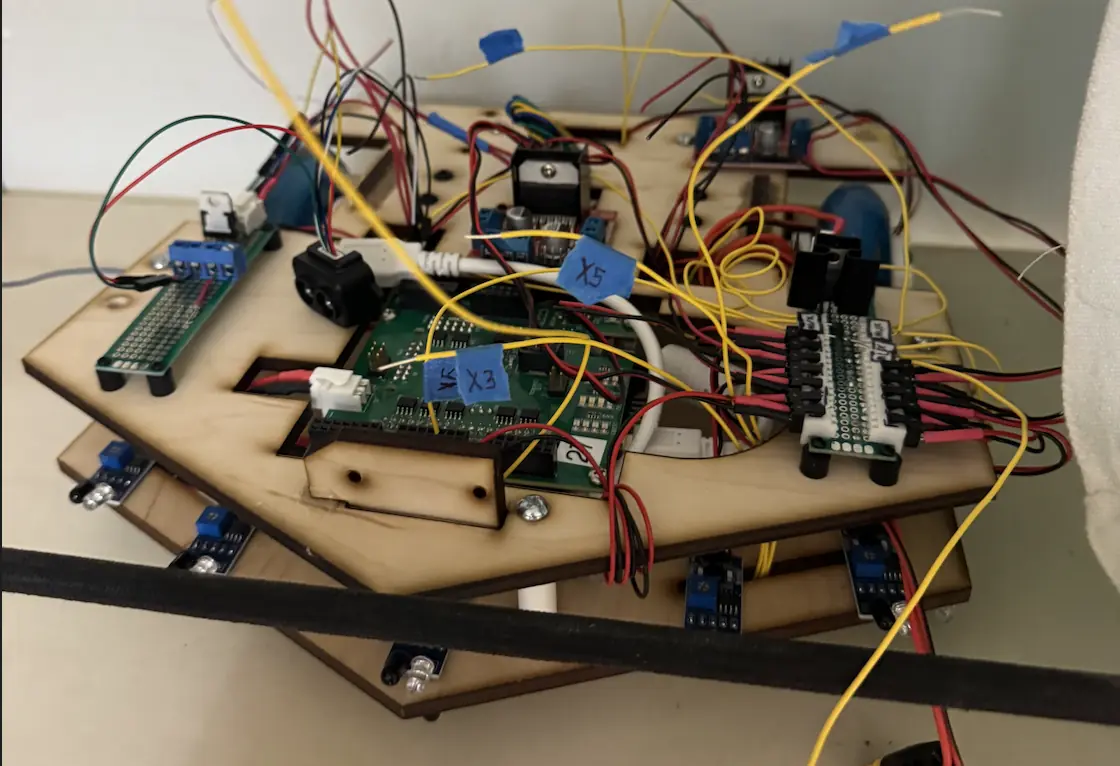
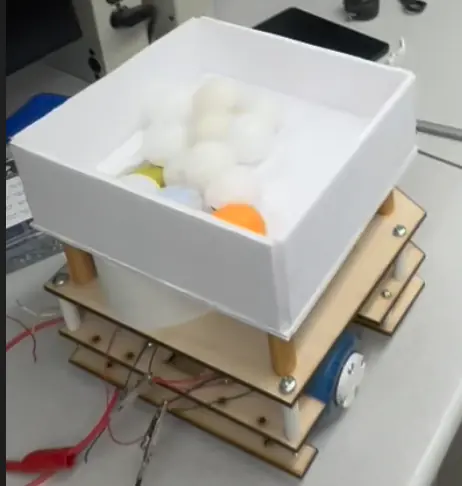
We paid about $3 more for encoded motors than for the standard DC motors, and the encoders ended up as the backbone of the robot. With ticks instead of timers, turns and straight drives were precise and repeatable. Two rollerblade wheels sit just behind the centre of gravity, with a skeg at the front. The robot carries 5 tape sensors (three front, two rear), 7 IR proximity sensors, a LiDAR and the beacon detector, all wired to an Uno32. Two counter-rotating flywheels shoot at about 25°. They are fed by a hopper with a revolving-door agitator.
Beacon detector
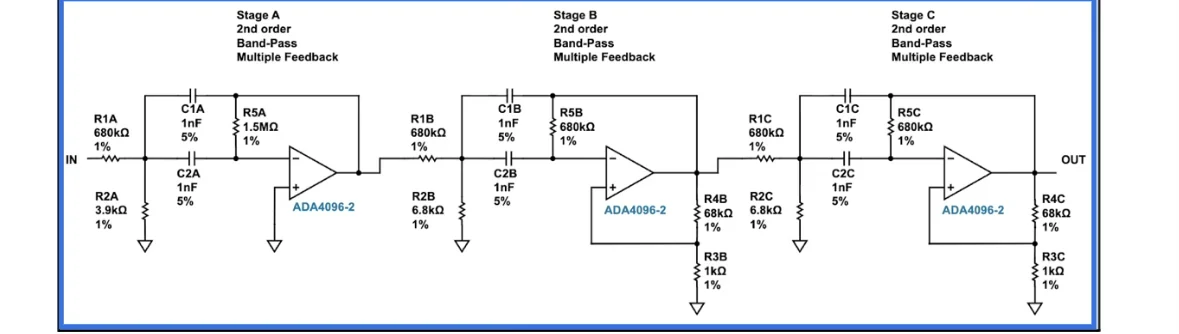
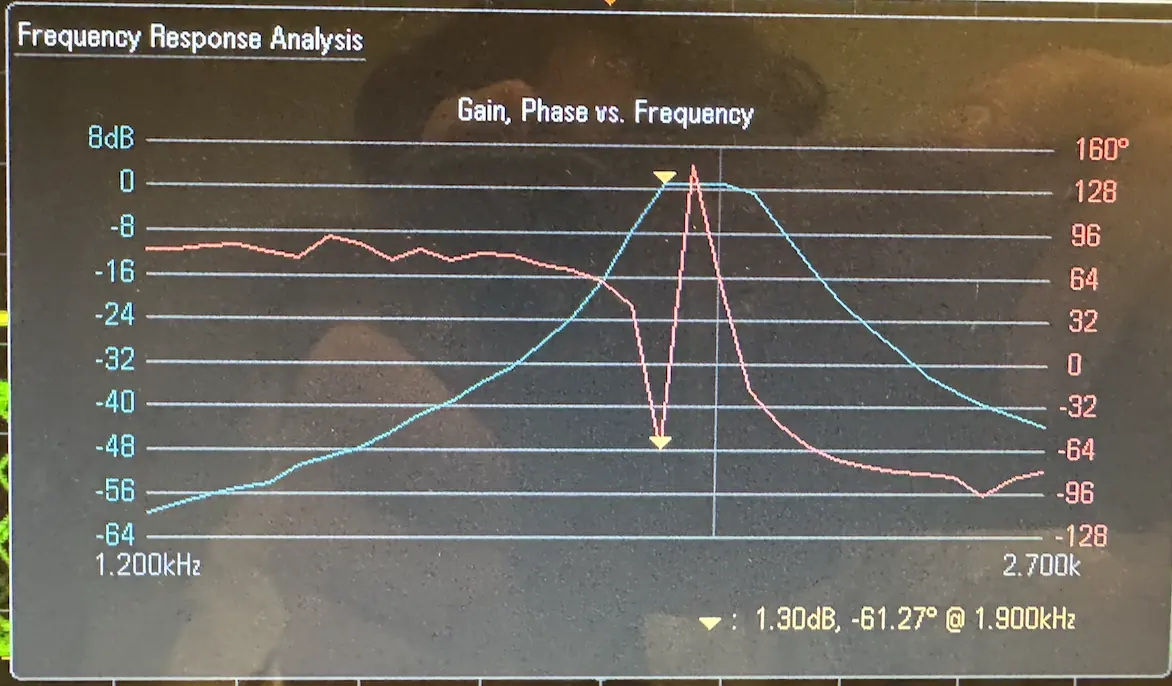
The detector had to pick up a 2 kHz beacon from across the field and ignore the 1.5 and 2.5 kHz decoys on the obstacles. The main filter is a 6th-order Chebyshev band-pass made from three cascaded multiple-feedback stages. A narrow passband was not enough at long range, so we added gain before and after the filter and shielding around the sensor. With those changes it detected the beacon reliably at about 15 feet.
Instead of a comparator, a peak detector feeds an ADC pin directly. The software keeps the highest of every 300 samples and compares it against a threshold tuned on the real robot. Because it has the raw strength, it can also steer toward the strongest reading when aiming.
Software
At the top, RobotHSM is a two-state dispatcher: FIND_ISZ and ATTACK. The two phases share nothing but a single ADVANCE_FINISHED event. Its 16-bit parameter packs the LiDAR distance and the wall side, so the phases need no shared globals. Every state that starts a timer stops it on exit, after a leftover startup timer once re-triggered an obstacle turn. Every transition passes through a 200 ms SM_BRAKING state, so the stop logic lives in one place.
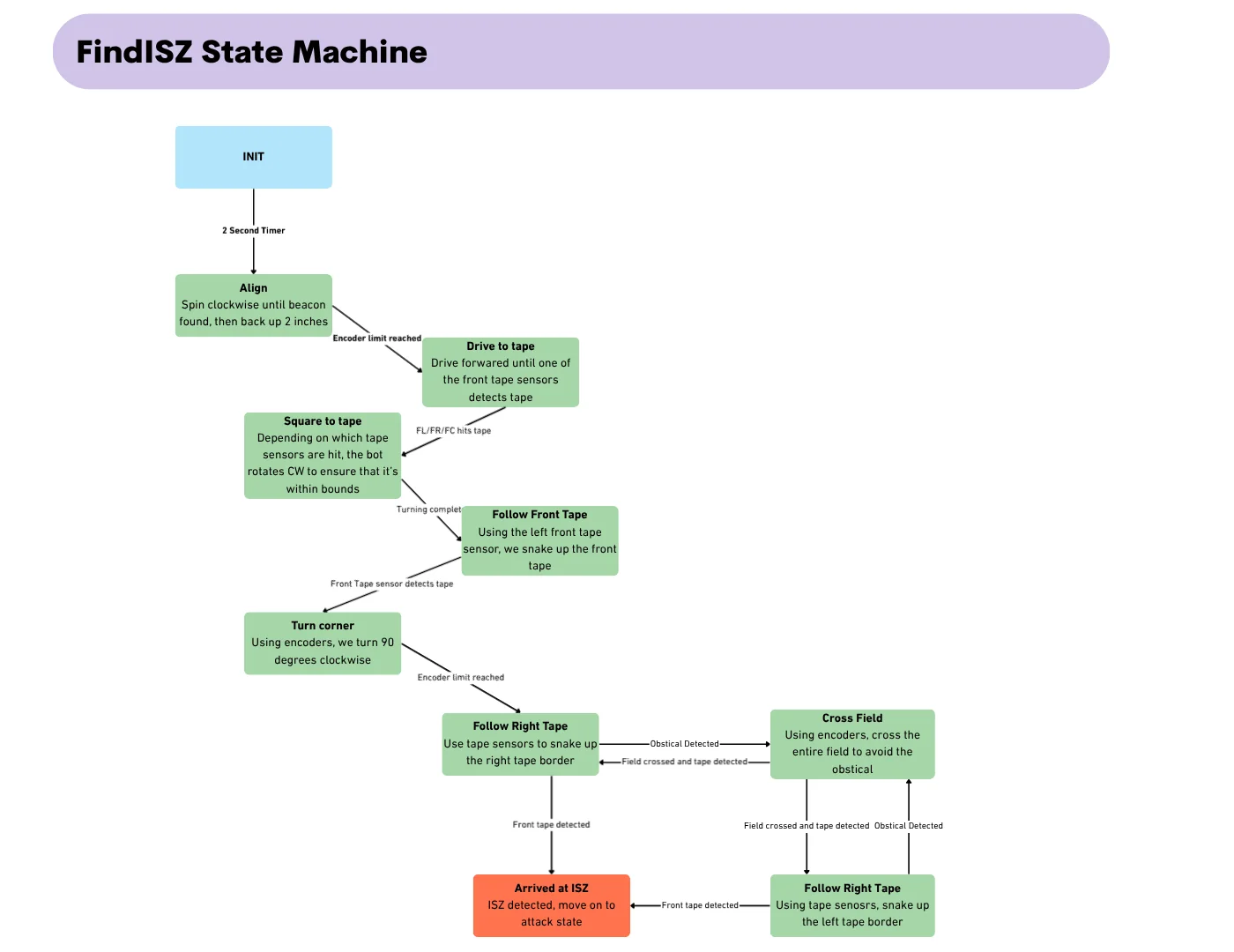
Normal path to the shooting zone:
ALIGN→DRIVE_TO_TAPE→SQUARE_TO_TAPE→FOLLOW_FRONT_TAPE→TURN_CORNER→FOLLOW_RIGHT_TAPE→ARRIVED_ISZ
If an obstacle blocks a side tape, the robot cuts across the field and carries on along the opposite wall:
OBS_TURN→OBS_DRIVE→OBS_CLEAR→OBS_REALIGN
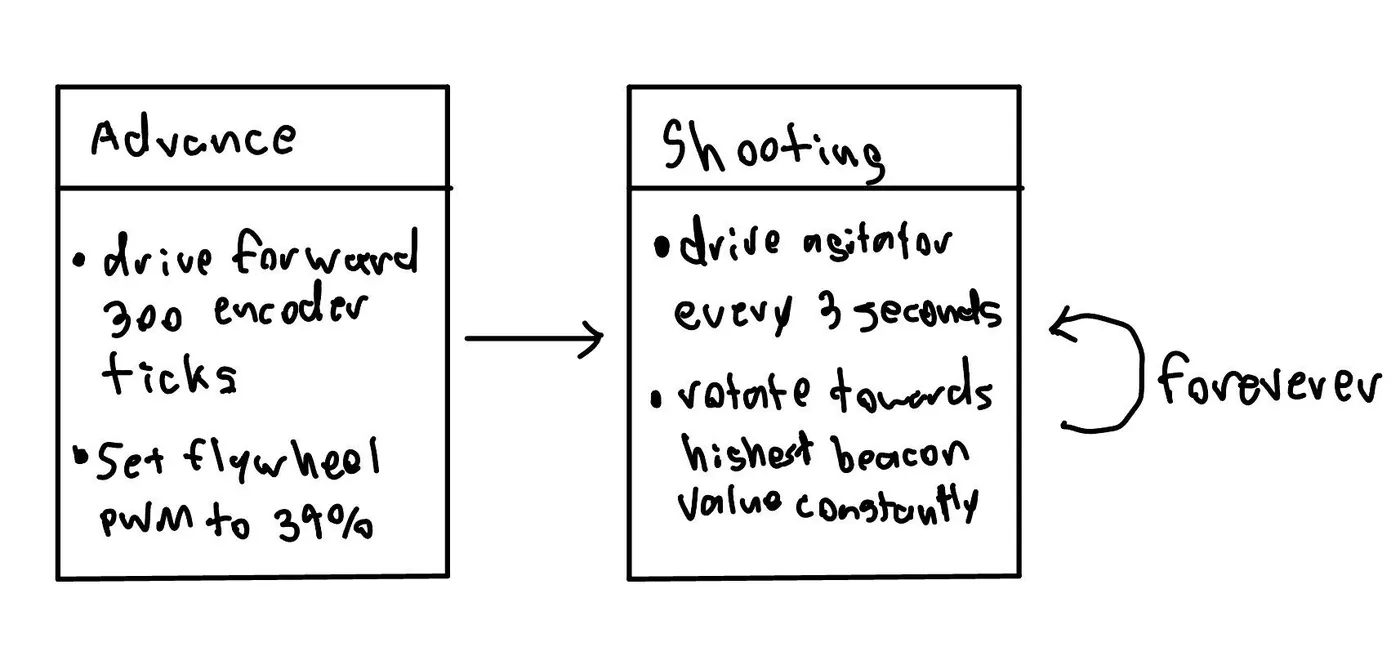
In the attack phase, the robot first drives about a foot forward (300 ticks) to get a stronger beacon reading. Then it fires while it jitters: it rotates and stops on a 100 ms timer, keeps turning while the reading rises and reverses when it falls. The best reading resets every 3 seconds in case the target moves. Flywheel speed is set from the LiDAR distance, with values tuned for 8 to 14 feet. In practice it fired about two balls every three seconds.
Driving straight
No two DC motors are identical, so at the same duty cycle one wheel always lagged. The encoder checker runs a proportional loop on every framework tick. It computes tickDiff = left − right and scales that against the move’s target, clamped between 50% and 80% duty. It slows the leading motor and boosts the lagging one. The minimum speed sits right at the stall point, so at worst a wheel that is far ahead simply waits. Both wheels finish within a few ticks of each other.
Side quest: Slug Sim
Right as the project started, some of the class’s IR beacons went missing, and the instruction team held back all project hardware until they came back. As the software lead I had nothing to write firmware against. After, honestly, a fair amount of procrastination, I built a simulator.
It is a Python/pygame field with randomised obstacles. Collision is handled per wheel, so the robot pivots correctly when only one side hits. Tape, bump, beacon, ping, trackwire, IMU and LiDAR sensors are simulated, mostly with ray casting. Pinning down exact field geometry meant going back to the TAs about ambiguous parts of the spec, which sharpened the whole team’s understanding of the rules.
The hard part was running the real ES_Framework instead of a Python copy of it. I wrote stand-in functions with identical signatures. AD_ReadADPin reads from an array, and the motor calls move the digital robot instead of driving an H-bridge. The firmware is compiled into a library that the Python sim drives frame by frame. Simulated and real drive commands sit behind one shared interface, so logic tested in the sim moved to the robot without a rewrite. Rewriting the sim in C would have taken an hour. I spent four building a converter instead.